Centralised job management
Manage all your jobs from a single, organised list. Each job has a dedicated card holding every essential detail, from site information to commercial terms. That single source of truth automatically feeds your quotes and purchase orders.
How to use it
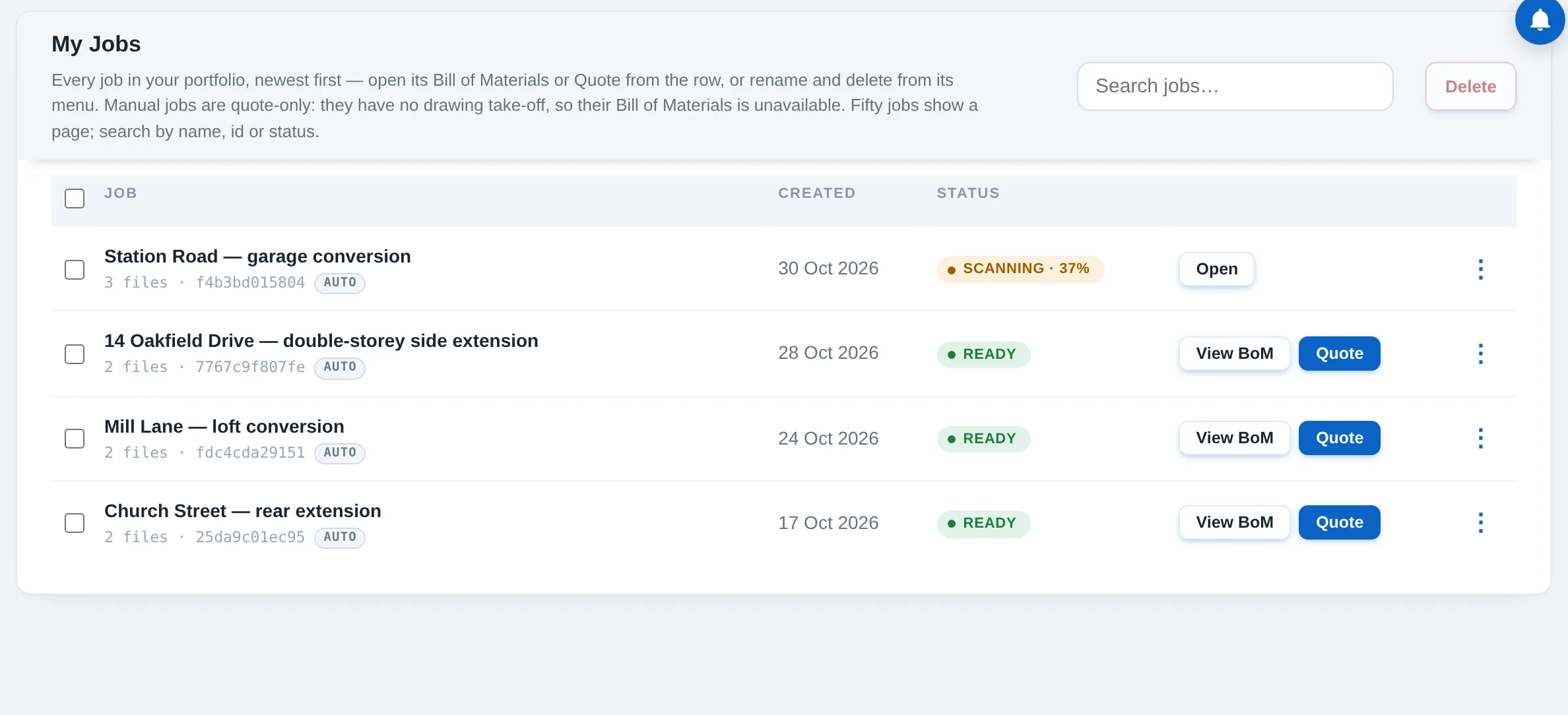
My Jobs
View every job, sorted by date with its current status. Open a Bill of Materials or a quote straight from the row, or click a job's name to open its card.
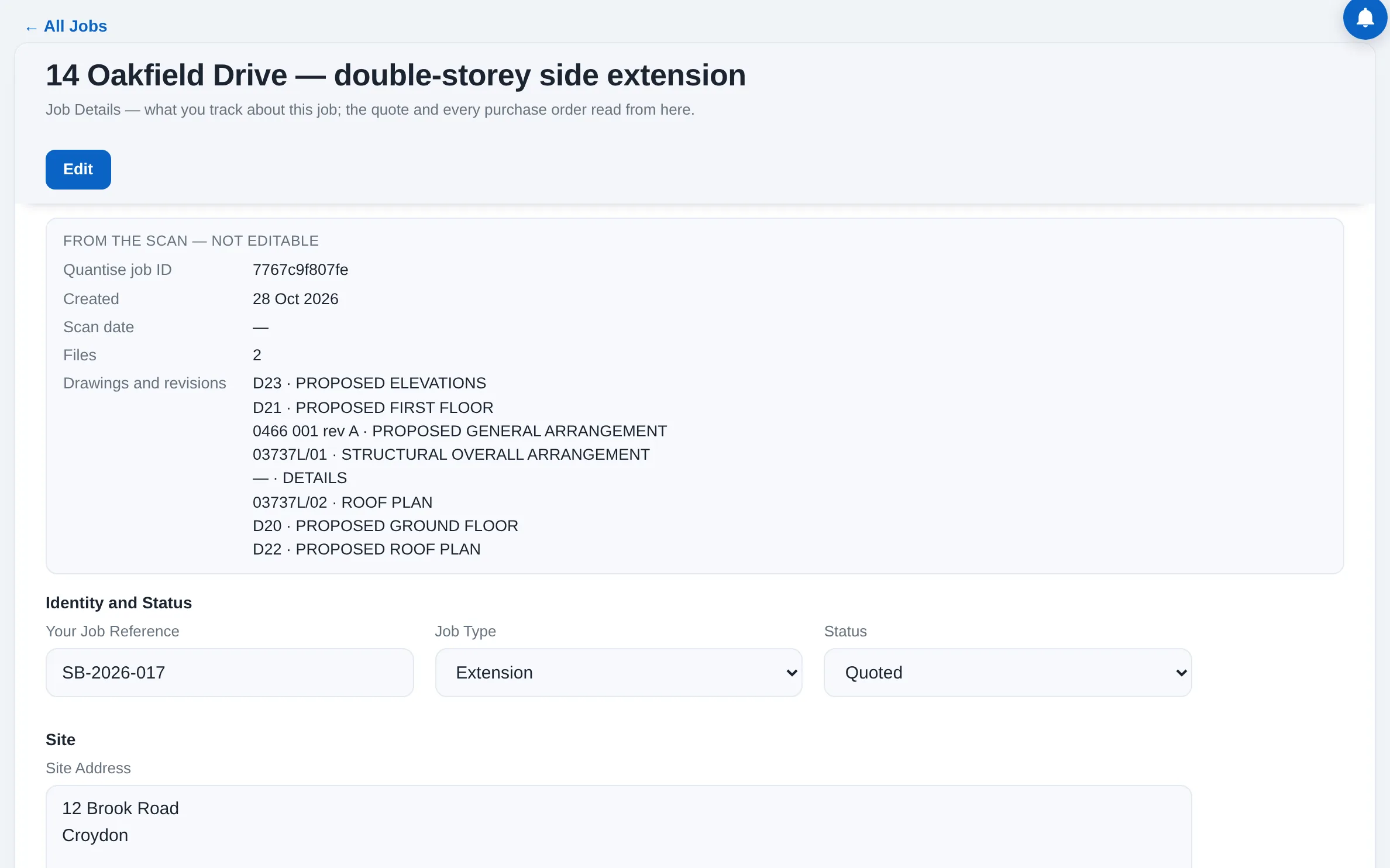
The job card
Locked data: the scan's own details, which cannot be edited: your Quantise ID, the dates, the files and the drawing revisions. Editable fields: your job reference, the status, the site address and access notes, the client's details, the project dates, the mark-up and VAT treatment, the preferred merchant, the professionals involved and your notes.
Simple editing
Cards open read-only to prevent accidental changes. Click Edit to make updates and Save to apply them; Save asks before it writes, and unsaved changes can be discarded.
Automated data flow
Information routes exactly where it needs to go. The site address and access notes auto-fill every purchase order, while the client's name, the VAT treatment and the mark-up feed straight into the quote. Scan data stays completely independent.