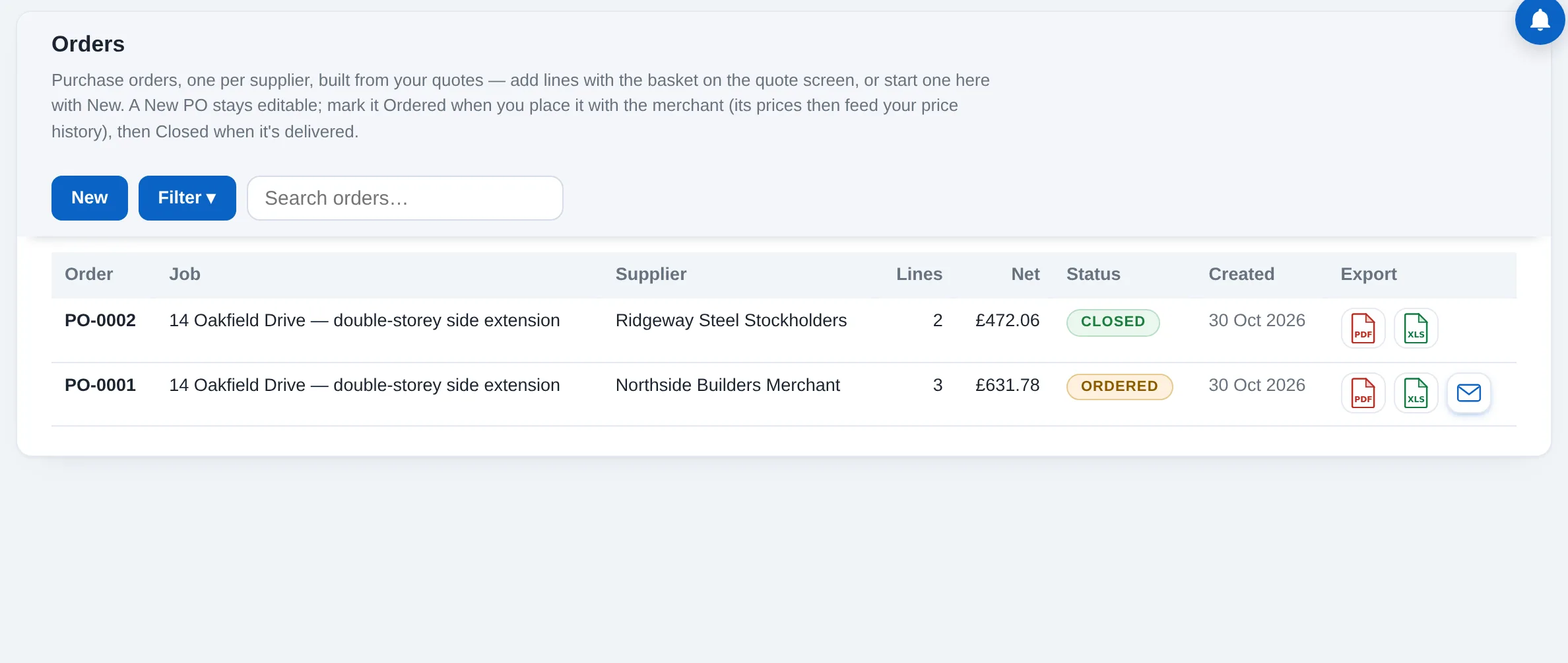
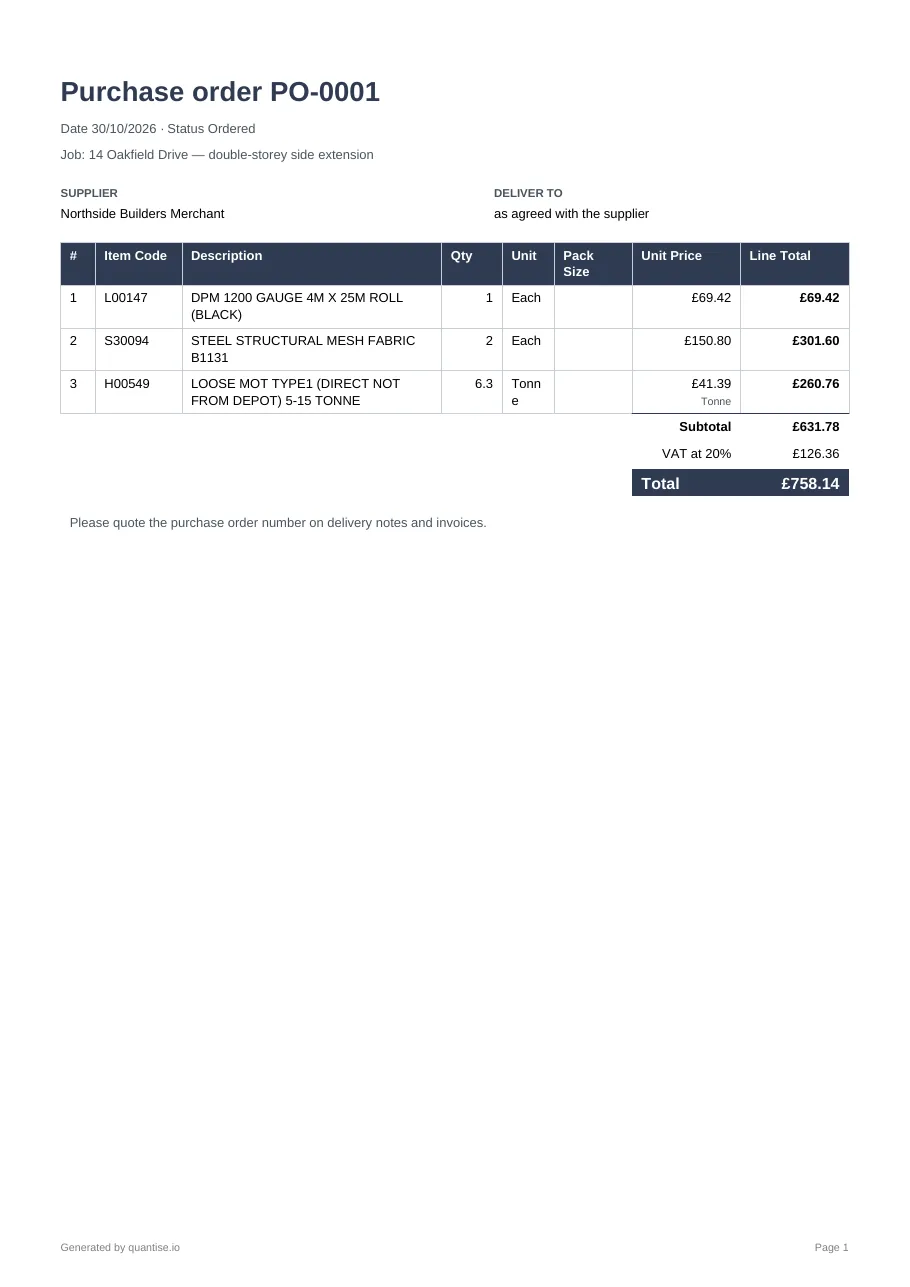
Purchase orders by supplier, straight from the quote
Purchase orders, one per supplier, built from your quotes. A New order stays editable; mark it Ordered when you place it with the merchant, and Closed when it is delivered.
How to use it
Fill the basket
On the quote, the basket icon on a line adds it to the open order for that line's supplier, in the unit the merchant sells, rounded to whole packs where a pack applies.
Or start one here
New opens an empty order for a supplier; Add puts any catalogue product on it with a quantity and, if you like, a rate.
Order
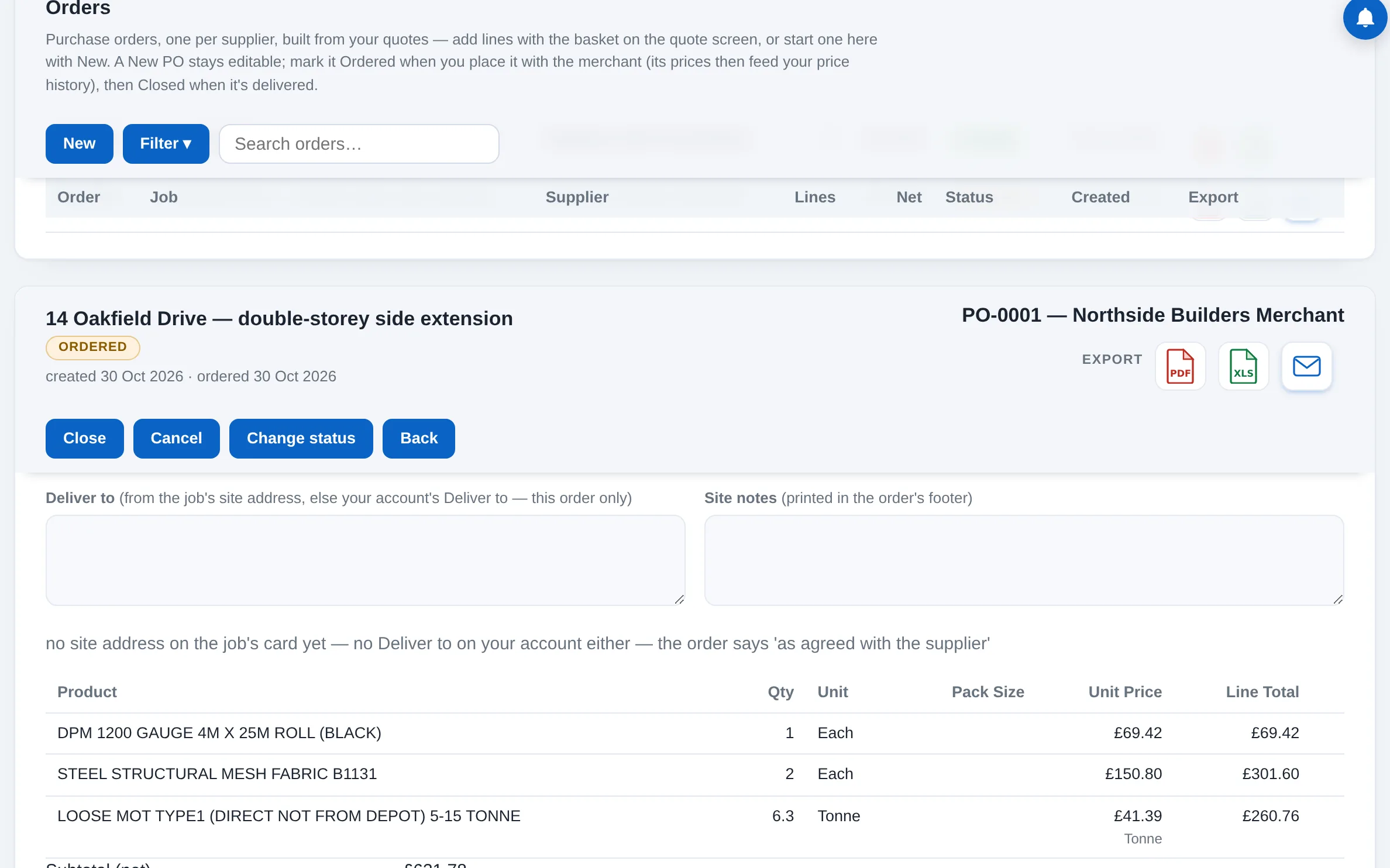
Mark it Ordered when you place it with the merchant: the order locks, and each line's price is kept as your own price history for next time.
Send and close
Export the order as a PDF or Excel, or email it from your own mail app. Close it when the goods arrive. Cancelling keeps the number on the list, struck through, never reused.