Features · Purchase · Order Book
What has been ordered, and what is still to buy
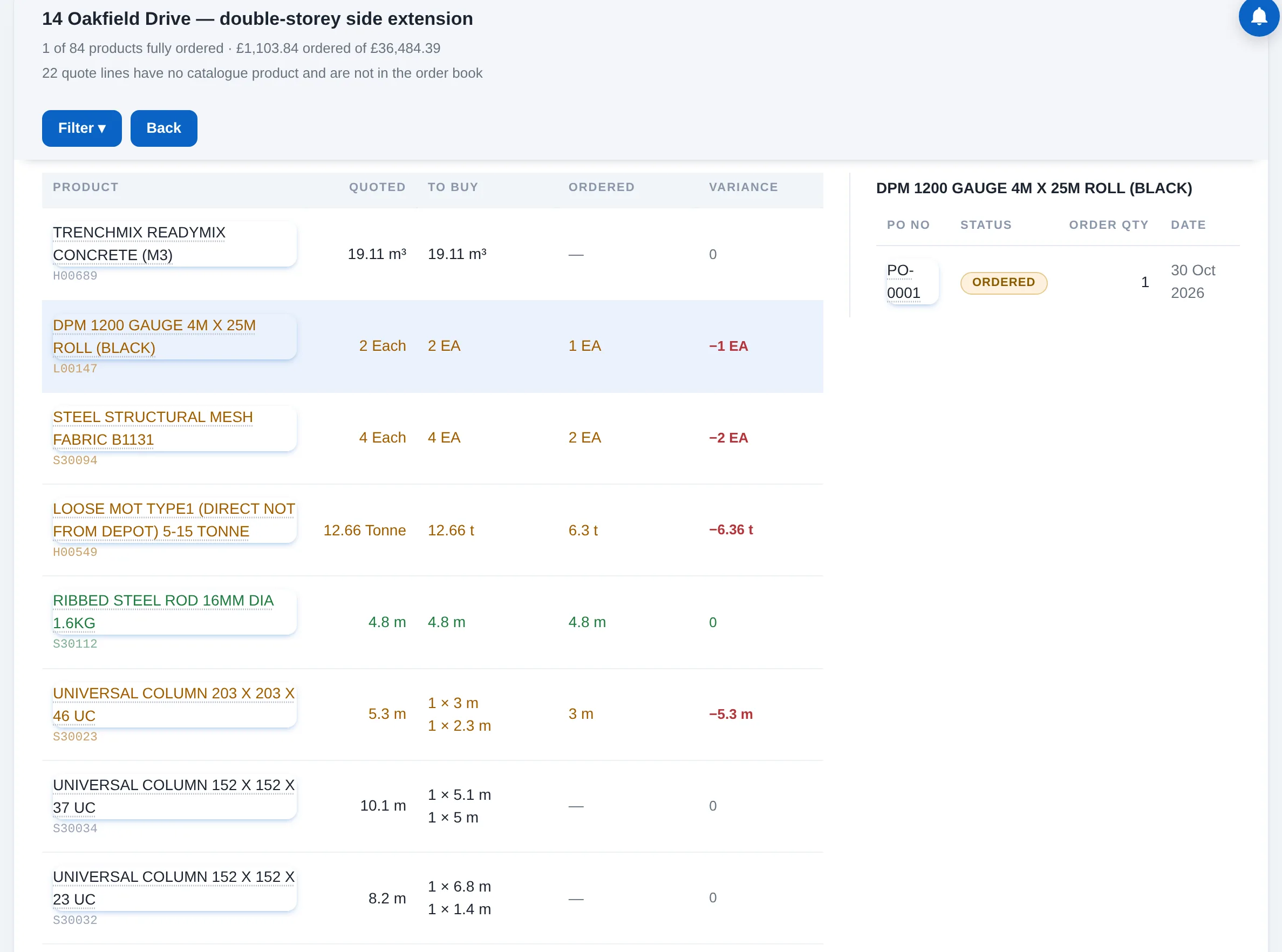
Per job, what has been ordered against each quoted product, what is still to order, and which purchase order it went on. A product turns green once its full quoted quantity is on ordered or closed orders.
SheetOrder Book
Per productQuoted · ordered · balance
TrailEvery order against it
How to use it
Pick a job
Purchase, then Order Book. The list shows every job with a quote; the Filter splits them into fully ordered, part ordered and not started.
Read the balance
Each product shows quote quantity, ordered quantity and balance in the unit it is bought in. Amber rows have a balance; green rows are complete.
Open the trail
Tap a product and the orders pane lists every order that carries it, with status, quantity and date. An order number opens the order.
Order the rest
Raise the next order from the quote; the book updates the moment the order is placed. Draft orders are listed but do not count.
Good to know
Only ordered and closed orders count; a draft is a draft.Quote lines without a catalogue product are left out, and the header says how many.An over-order shows as complete with "over by" the extra.