A priced quote under your own letterhead
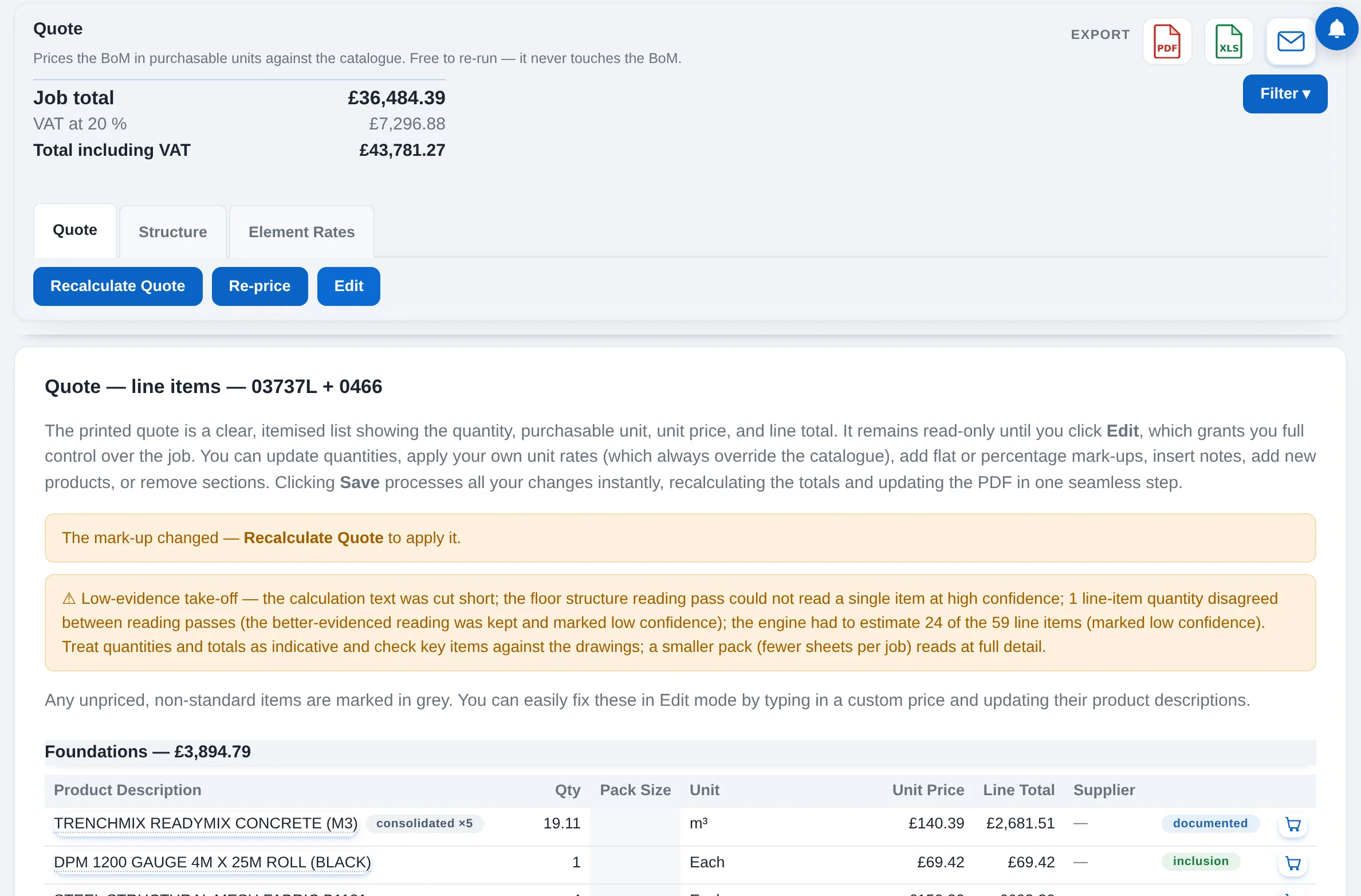
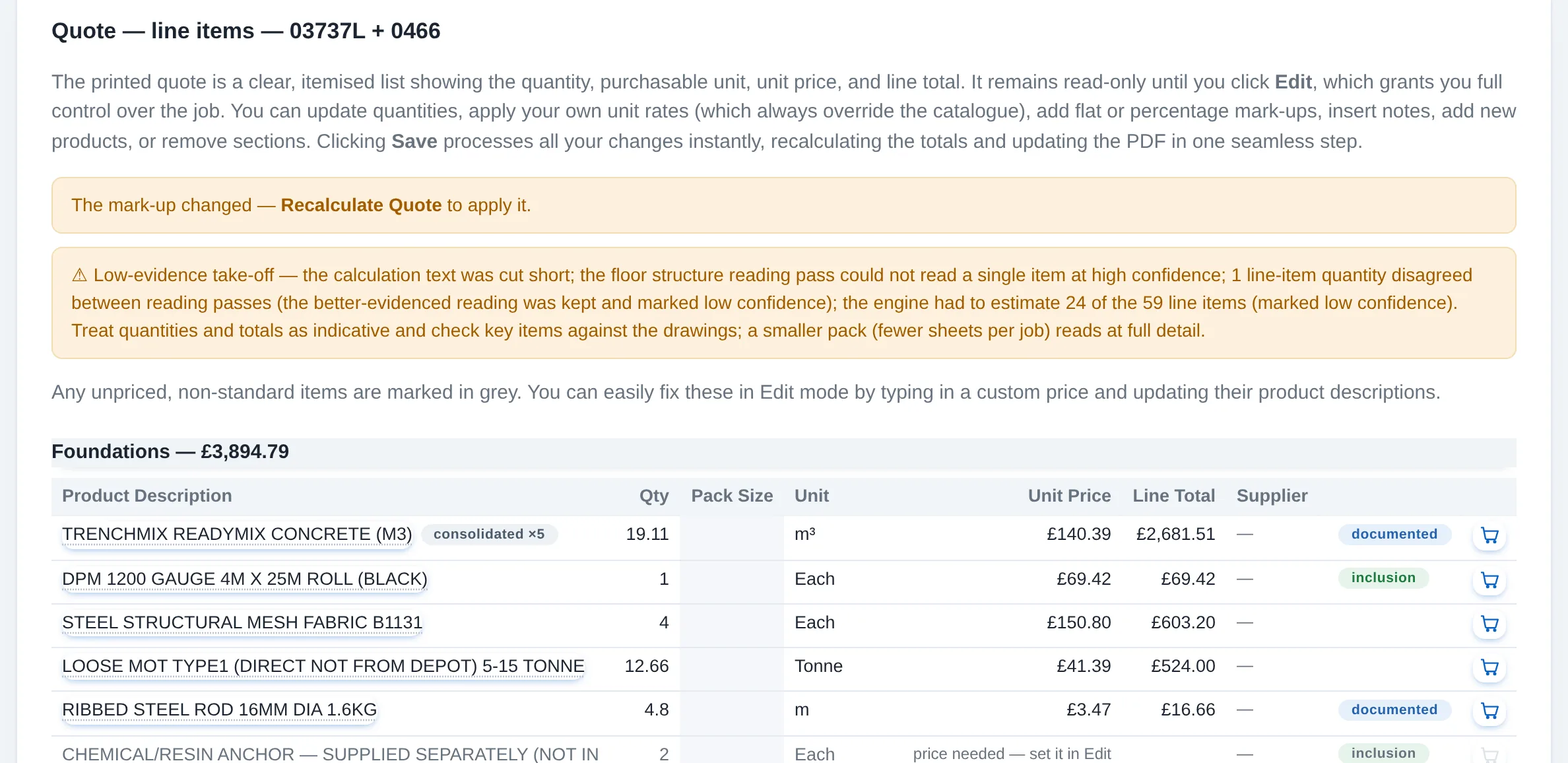
The Bill of Materials priced in the units the merchant sells: a unit price and line total on every line, a sub-total per section and the job total. Read-only until you press Edit, free to re-run, and it never changes the Bill of Materials.
How to use it
Generate
One press prices every line from the catalogue in the units the merchant sells: a beam becomes a length of steel, bricks come by the thousand, and blocks come each with the pallet as the pack size.
Look inside
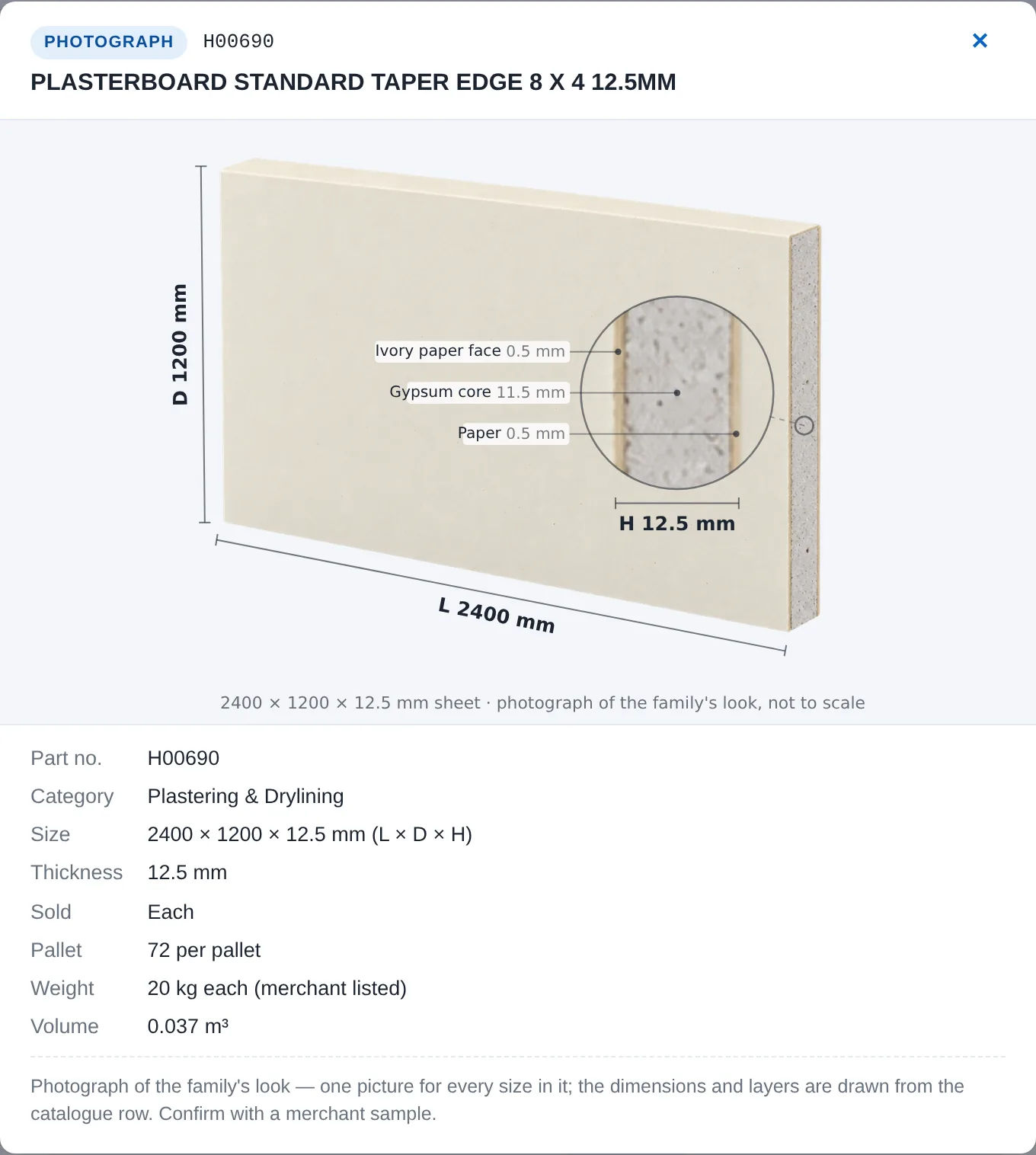
A quoted catalogue product is a link. It opens the same product card as the Products page: the picture, the size, how it is sold, how it is bought, the pack.
Edit
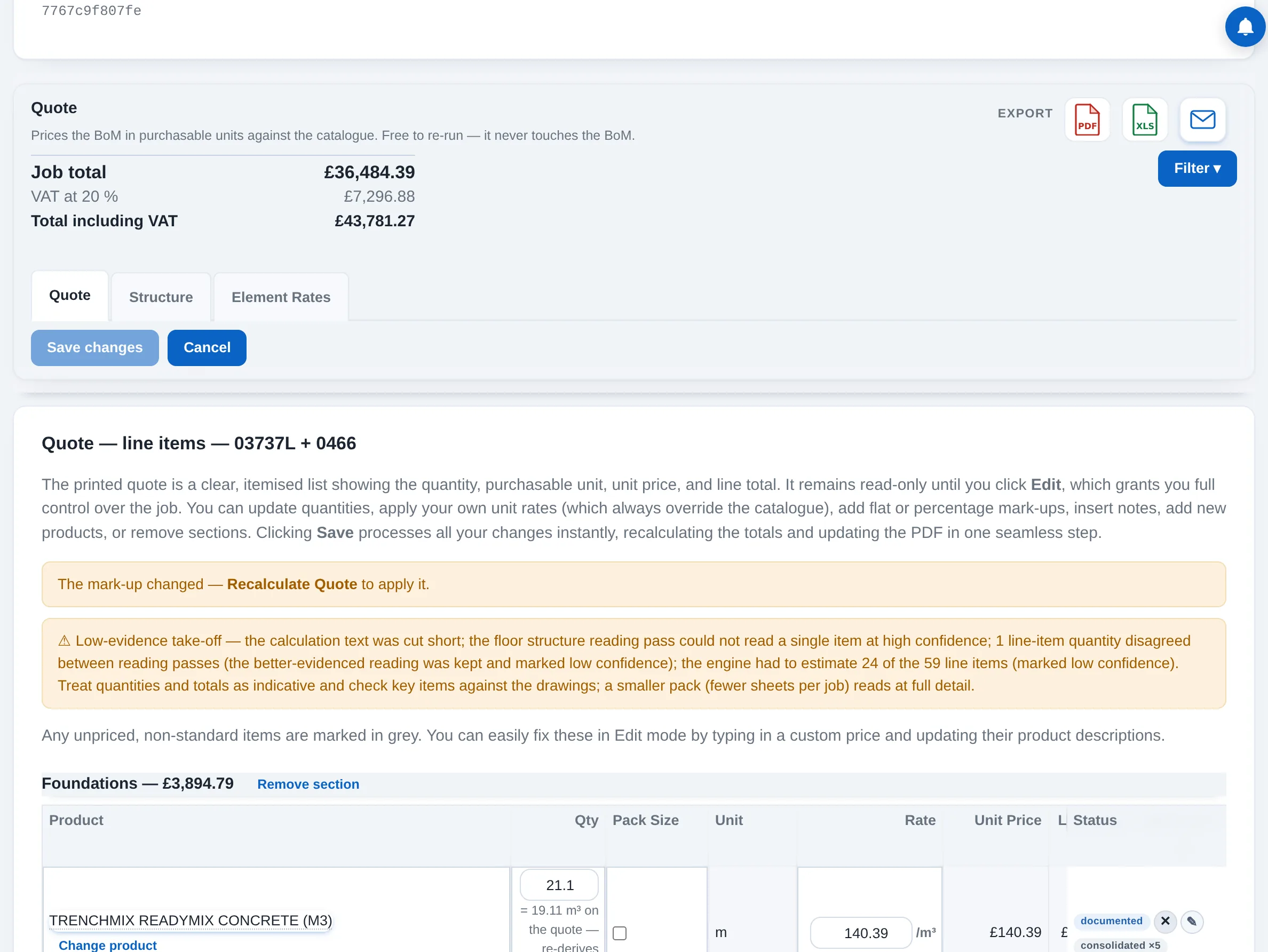
Edit unlocks quantities, your own rate on any line, per-line and whole-order mark-up, a replacement product, add and remove lines, remove a section, and section notes: internal ones for your screen, external ones that print.
Save changes
One button saves every edit and re-prices the quote in one step. Totals, the PDF and the workbook follow. Re-price alone refreshes the prices without touching your edits.
Sections follow the build
A job is split into sections in the order it goes up: foundations, steelwork, floors, walls, roof, and on through the shell. Each section carries its own lines, sub-total, notes and margin, so the quote is laid out the way the job will be built and you can price, order and check it a stage at a time.
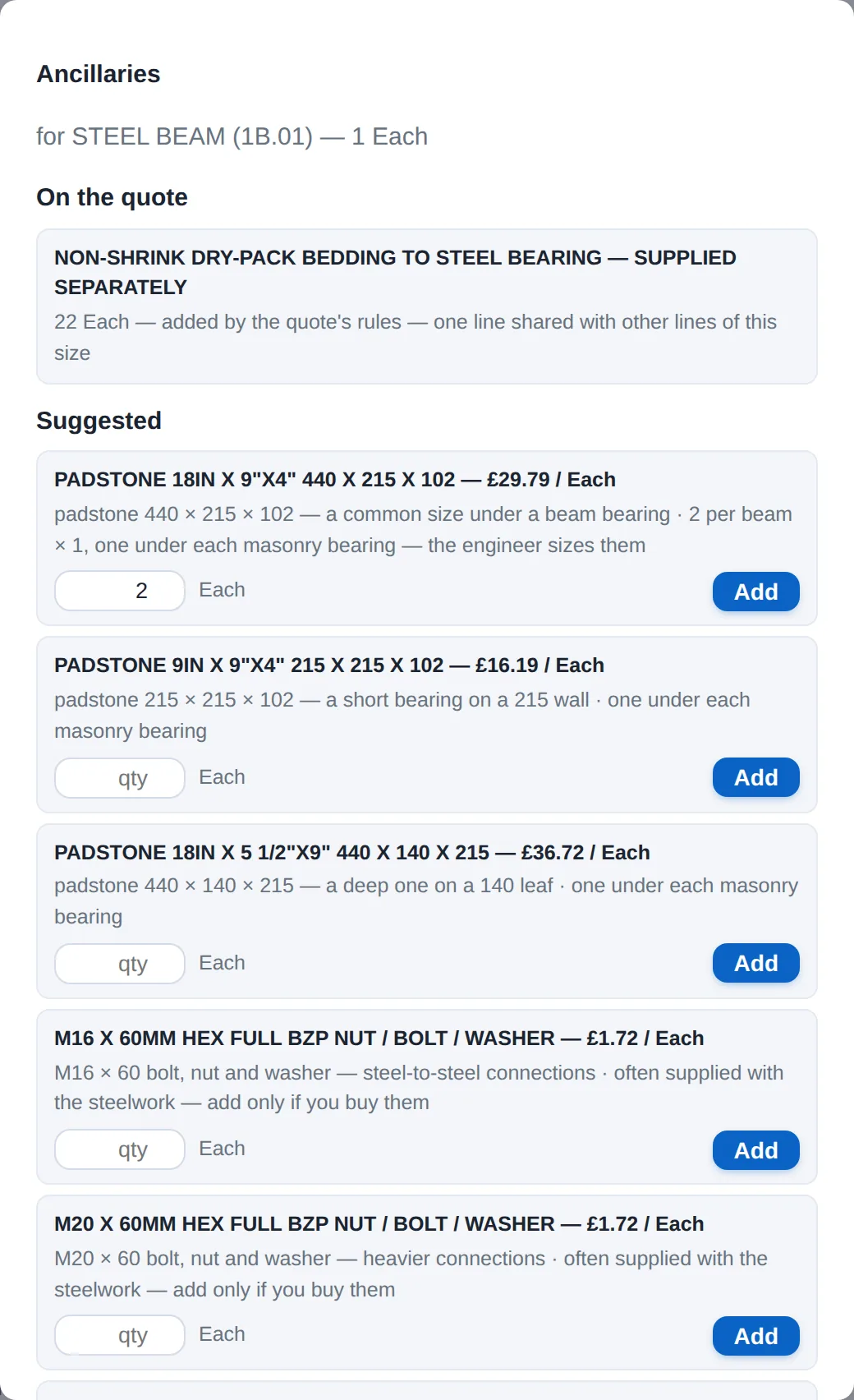
Ancillaries
The lines that need fixings carry an Add ancillaries link: hangers and straps for joists, bolts, washers and padstones for steel, flashing for roof windows. The popup names the parent, sizes each suggestion to it, prices it, and says when nothing stocked fits. Add what you want and it joins the section as its own line.
Mark-up, kept to yourself
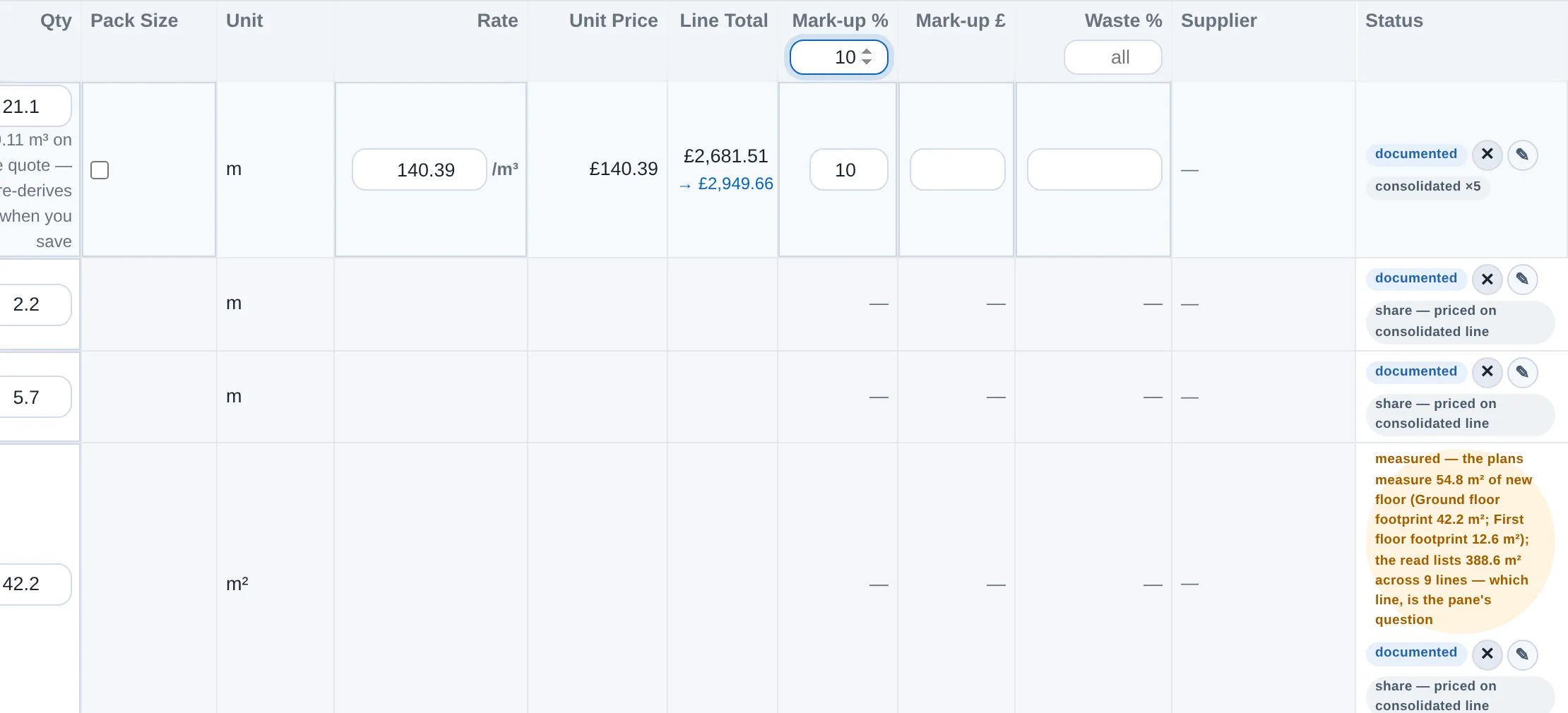
In Edit, every line has a mark-up on cost (the Mark-up column) in percent or pounds, and every section a blanket figure that fills its own lines. The preview shows the new price as you type, and the quote's total says the margin your mark-up equals. The mark-up is folded into the prices on the documents you hand out; nothing you send names it, and nothing in the app ever shares it.
Labour and plant, section by section
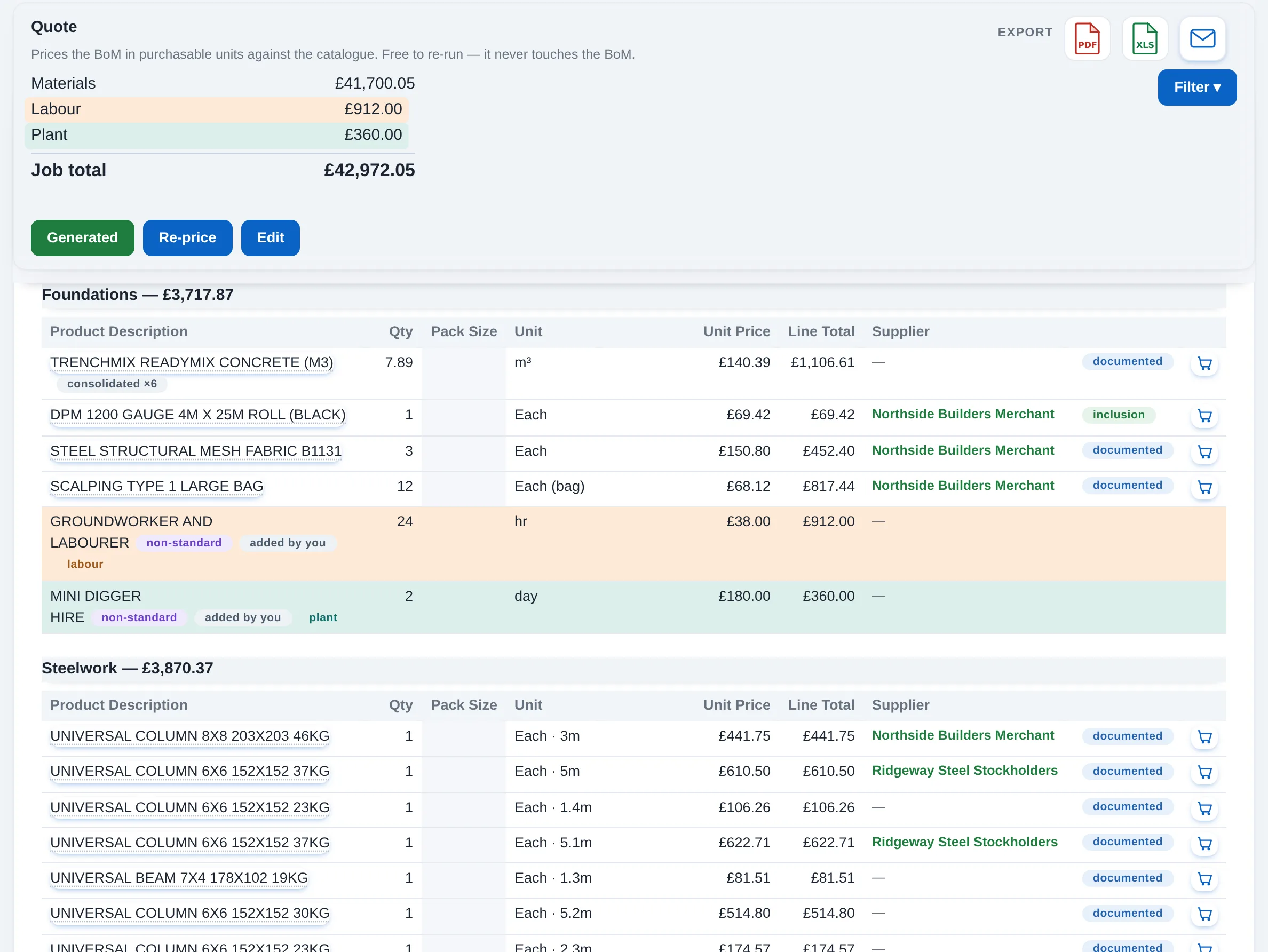
Add product on any section takes a labour line or a plant line as well as a material: a description, a quantity, your rate. The section then lists materials, then labour, then plant, and the job total shows the three side by side.
Three views of one quote
The Quote tab is the merchant's reading: by product, the one place you edit. The Structure tab is the same lines by where they sit in the building: substructure first, then each storey's elements, then the roof, each level and element with its sum, and anything the scan could not place under Unplaced at the foot, where one choice moves it and keeps it there through every recalculation.
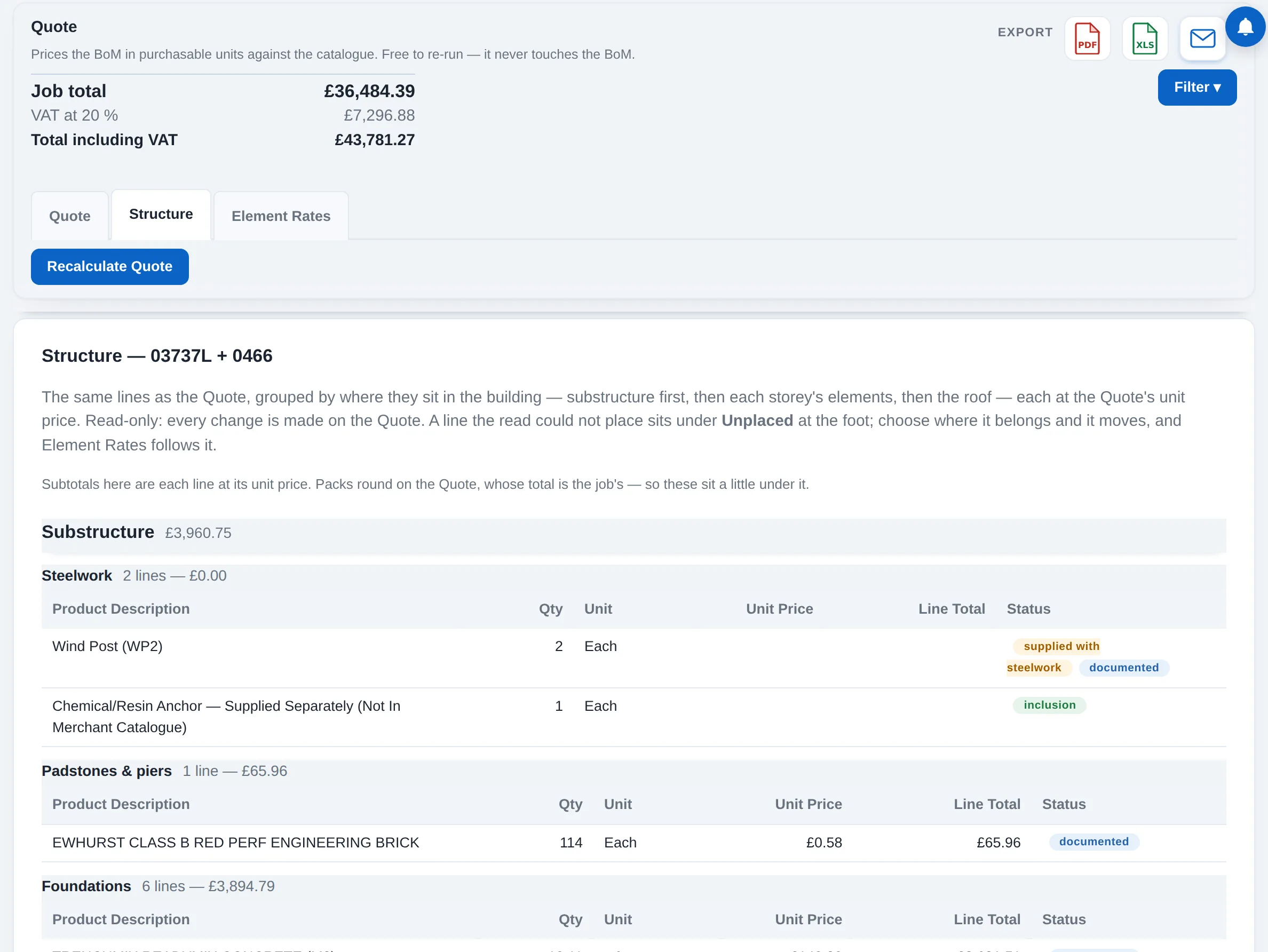
Element Rates
Each structural element is presented as an expandable composite rate based on exact plan measurements. If quantities are missing, the system displays a definitive cost rather than a guessed rate, and flagged unknowns—like unconfirmed foundation depths—recalculate instantly once the final dimension is entered.
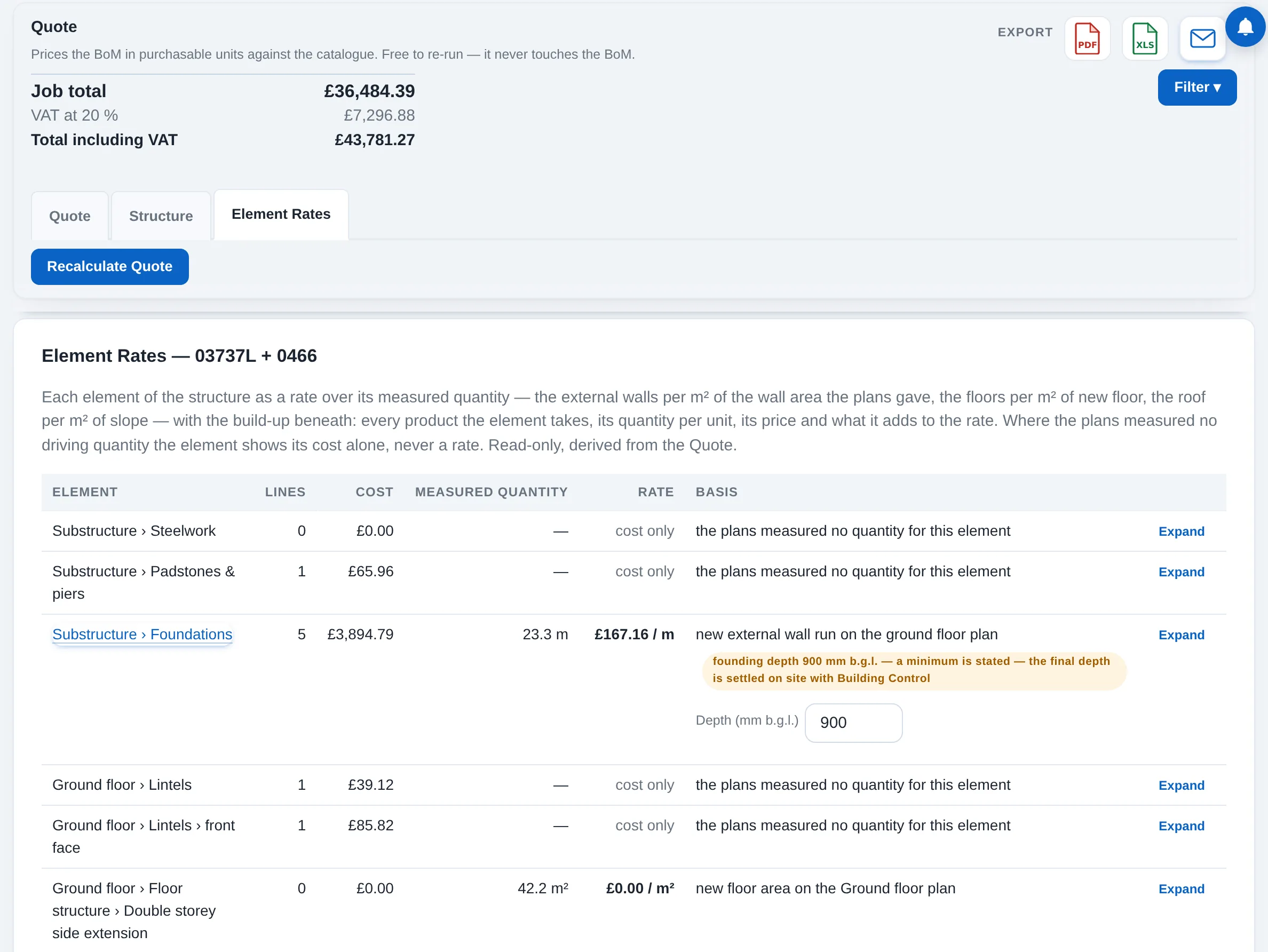
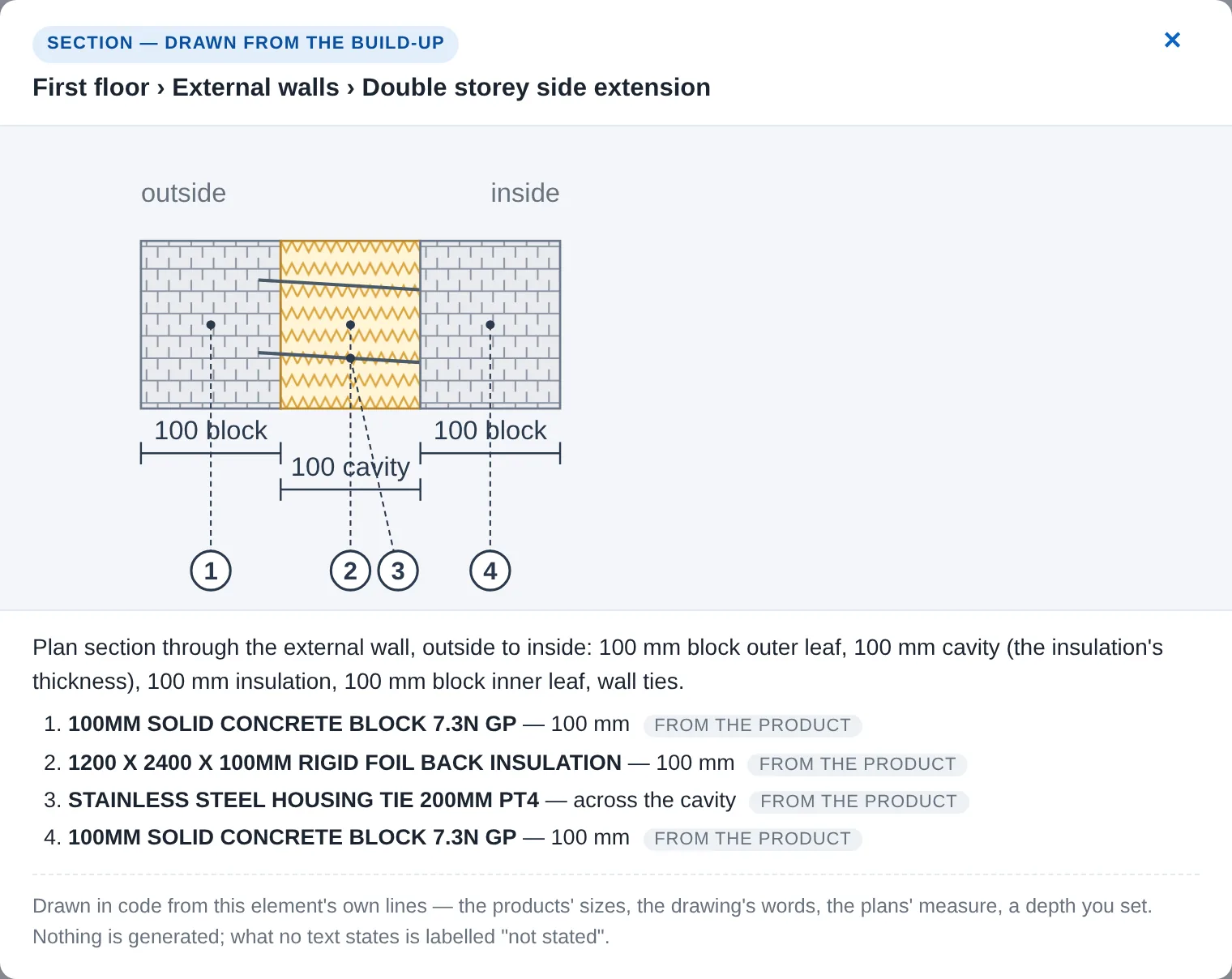
Sections Drawn from the Build-Up
Each element's section is populated directly from the quote and structural plans to detail specific product specifications and dimensions. Every component is numbered and cross-referenced to the drawing, clearly stating its data source and explicitly highlighting any missing information.